Screenshots in one click.
Capture any page, stamp it with the date and time, add your watermark, and drop it on a beautiful backdrop without ever leaving your tab.
Free · No account · Nothing leaves your machine
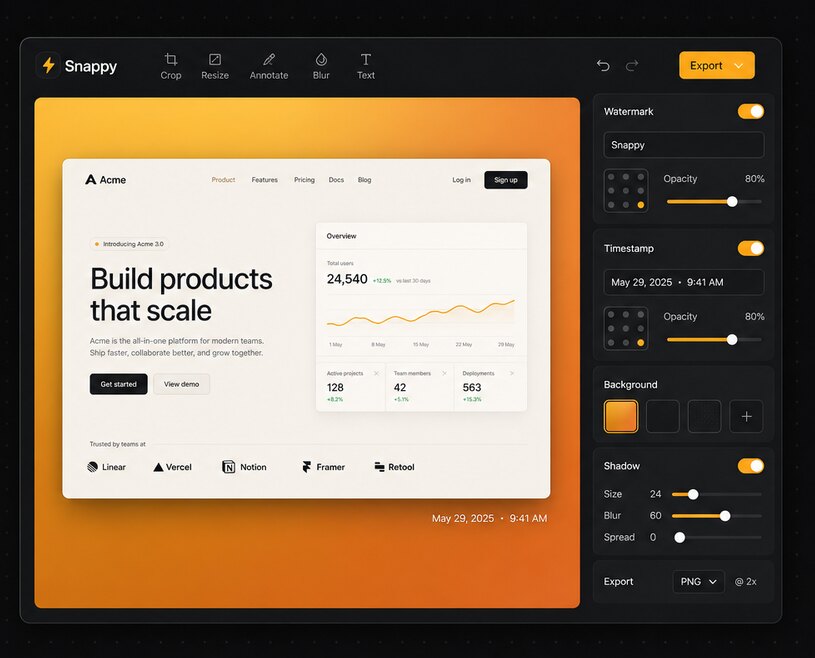
One-click capture
Toolbar click or keyboard shortcut. A quick-actions card appears right on the page so you can copy, save, or edit instantly.
Full-page capture
Auto-scrolls and stitches the whole page at full resolution, with sticky headers handled and web-app panels supported.
Live editor
Press ⌘⌃6 to redact and annotate the live page itself, before you screenshot it or share your screen. Anything you hide stays hidden in captures, in the pixels and the saved text alike.
Pick & pull
Hover the screenshot to highlight the page's real elements. Click to copy any button, table, or error as its own image, or grab its exact text. No OCR.
Annotate
Arrows, boxes, text labels, and auto-numbered step badges in six colors. One click snaps a box pixel-perfectly to the element under your cursor.
Watermark
Your name, company, or copyright. Custom color, size, opacity, nine presets or free placement. Plus a draggable date & time stamp in six formats.
Search inside screenshots
Gallery search looks through the actual page text recorded at capture, not just sites and titles. The text never leaves your device.
Redact anything
Black out, pixelate, or blur API keys, emails, and customer data with draggable boxes. Baked into the pixels, so the secret is truly gone.
Evidence mode
Stamps every capture with the URL, exact time and timezone, and who took it. Downloads as a verifiable bundle with a SHA-256 fingerprint.
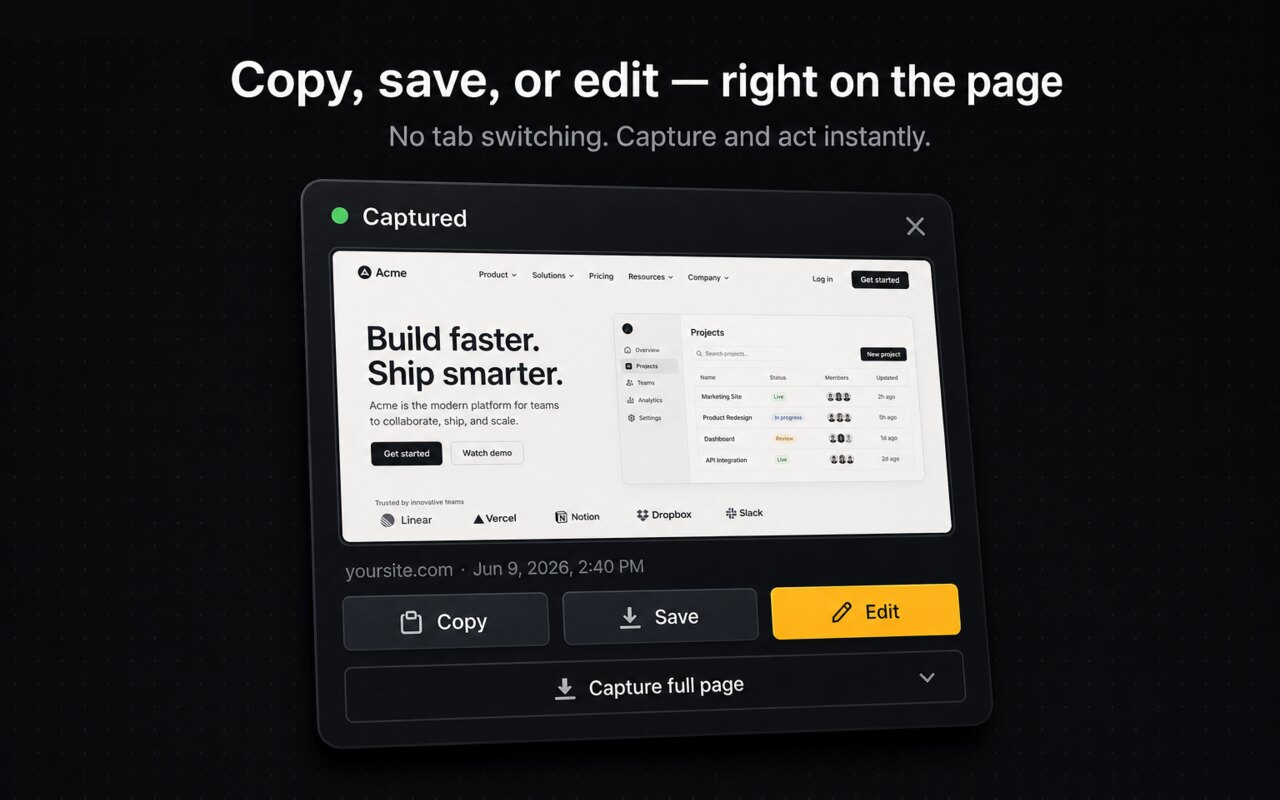
Act the moment you capture, no tab switching.
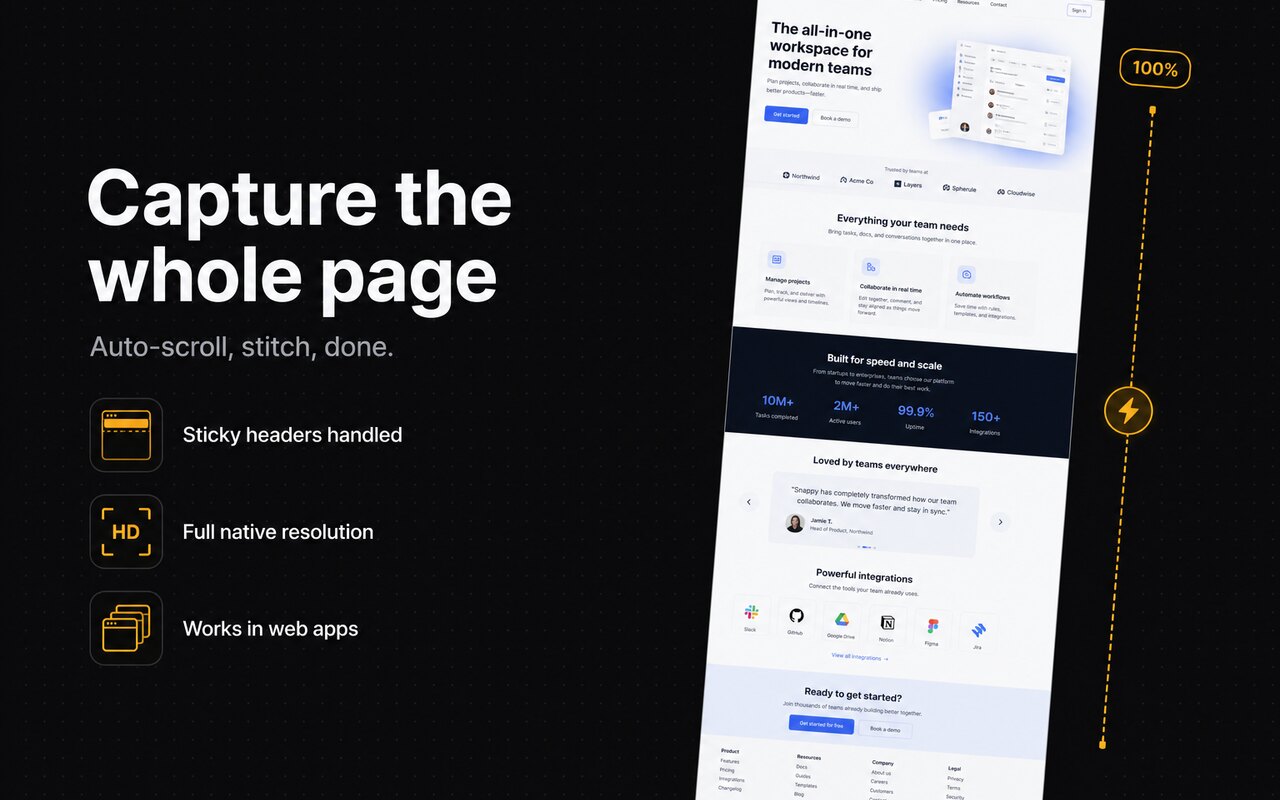
The whole page, stitched at full resolution.
Built for SOC 2 and audit evidence
Flip one switch and every capture is stamped with the full page URL, the exact date, time, and timezone, and who took it. Your auditor stops asking "when was this taken?"
- Verifiable bundles. Downloads arrive as a single .zip: the image plus a .evidence.json carrying a SHA-256 fingerprint. Anyone can check a bundle here. No account, nothing uploaded.
- Redact, never crop. Hide secrets with blackout, pixelate, or blur boxes baked into the pixels. Evidence captures are never cropped, so the context auditors need stays intact.
- Still private. Stamping, hashing, and redaction all happen on your device. Nothing is uploaded anywhere.
Built for muscle memory
Three shortcuts. That's the whole learning curve.
Your screenshots never leave your machine
Snappy has no servers, no analytics, and makes zero network requests. Captures are processed entirely on your device. By default only the most recent one is kept, and the optional gallery saves to your device only.
Read the privacy policy →